Turn WooCommerce quotes into paid orders
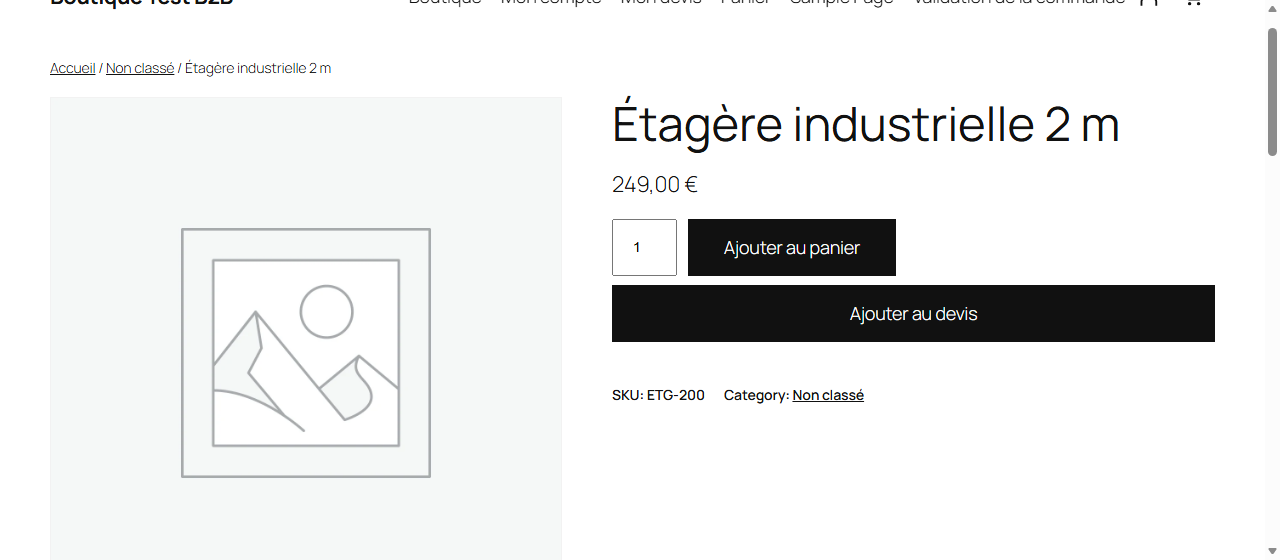
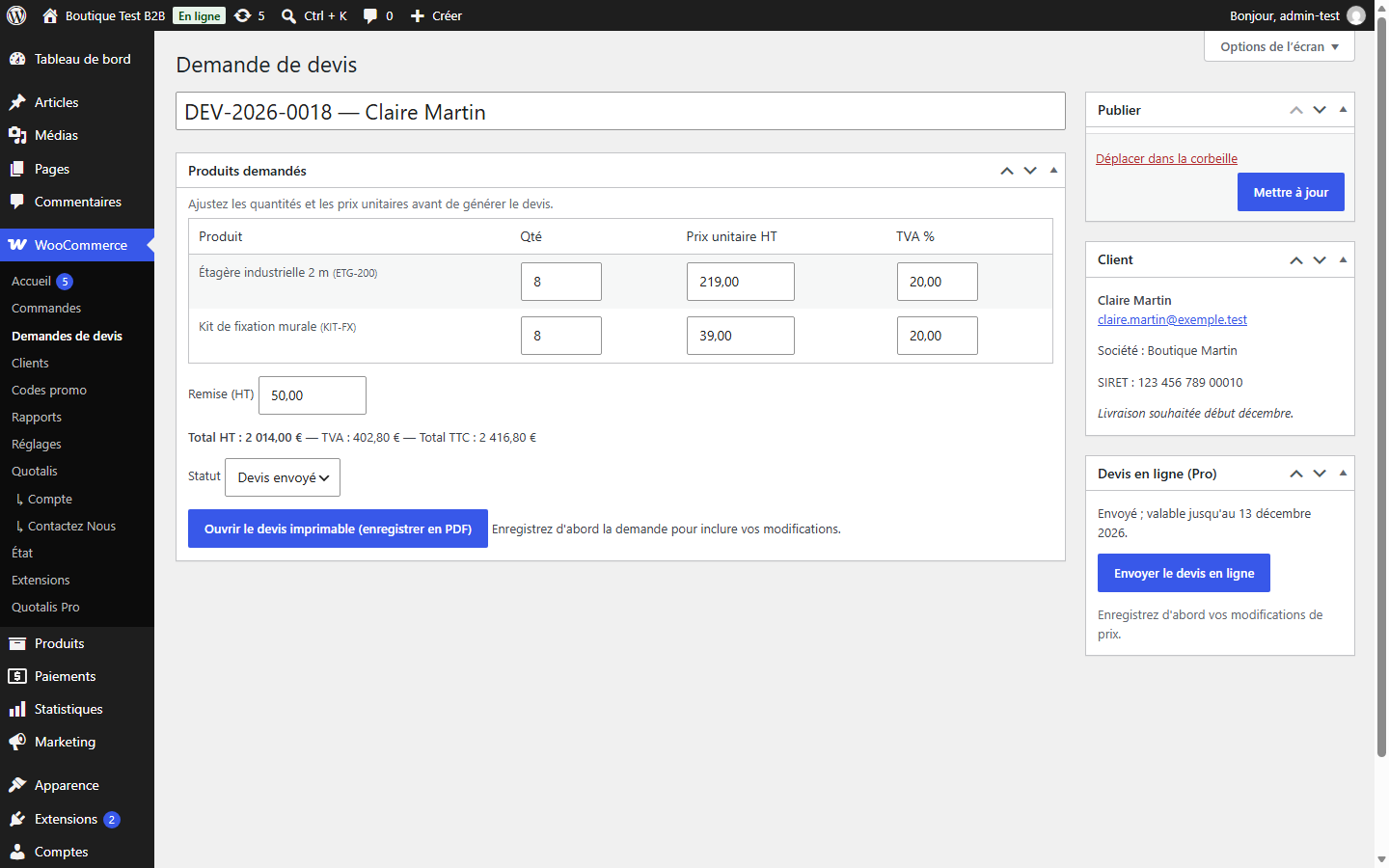
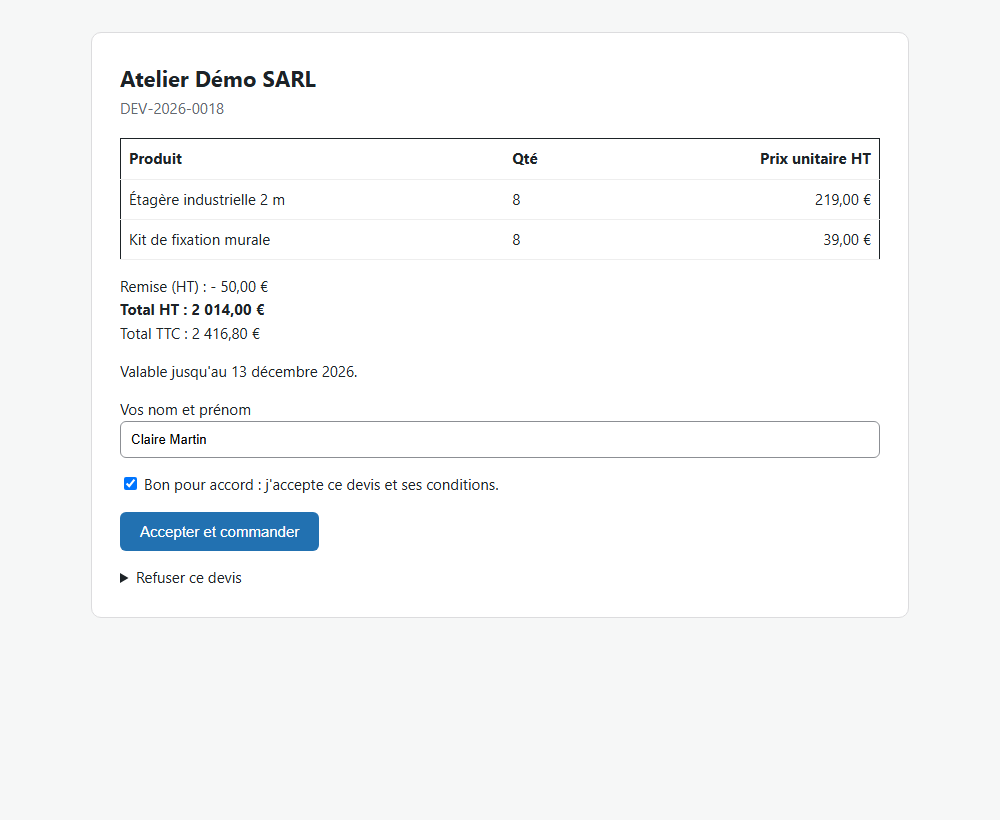
Quotalis adds request-a-quote and catalog mode to WooCommerce for free. Quotalis Pro lets your customer accept the quote online: the order is created at the negotiated price and the customer goes straight to payment.
Get Quotalis freeWatch the demo (1 min)Quotalis ProEverything happens online and in writing: illustrated demo, FAQ, secure checkout and email support.
How it works
Quotalis Pro
For businesses only. €49 / year excl. VAT (or $55; VAT or sales tax added at checkout depending on your country) — 1 site, updates and support included, auto-renewal you can cancel anytime. The initial purchase is refunded if, within 30 days, a defect makes the main features unusable and cannot be resolved (terms, art. 5).
Before you buy: the 1-minute demo · pricing, licence, renewal, refunds: the FAQ.
After your purchase
- Freemius emails you your licence key and access to your customer account, where you will also find the invoice.
- Download Quotalis Pro from that account, then in WordPress: Plugins → Add New → Upload Plugin → Activate. Keep the free Quotalis plugin active.
- Enter the key under WooCommerce → Quotalis Pro, then open a quote request and click “Send online”.
Email not received, a question or a problem: write to antoine.manceau1@outlook.fr, written reply within 2 business days. Your bank statement may show “FREEMIUS* …” or “FREEMIUS SOFTWARE”.