Demo: Quotalis in one minute
The full journey, from quote request to paid order, on a test shop with fictitious data. No meeting needed: watch, try the free version, then upgrade to Pro if it suits you.
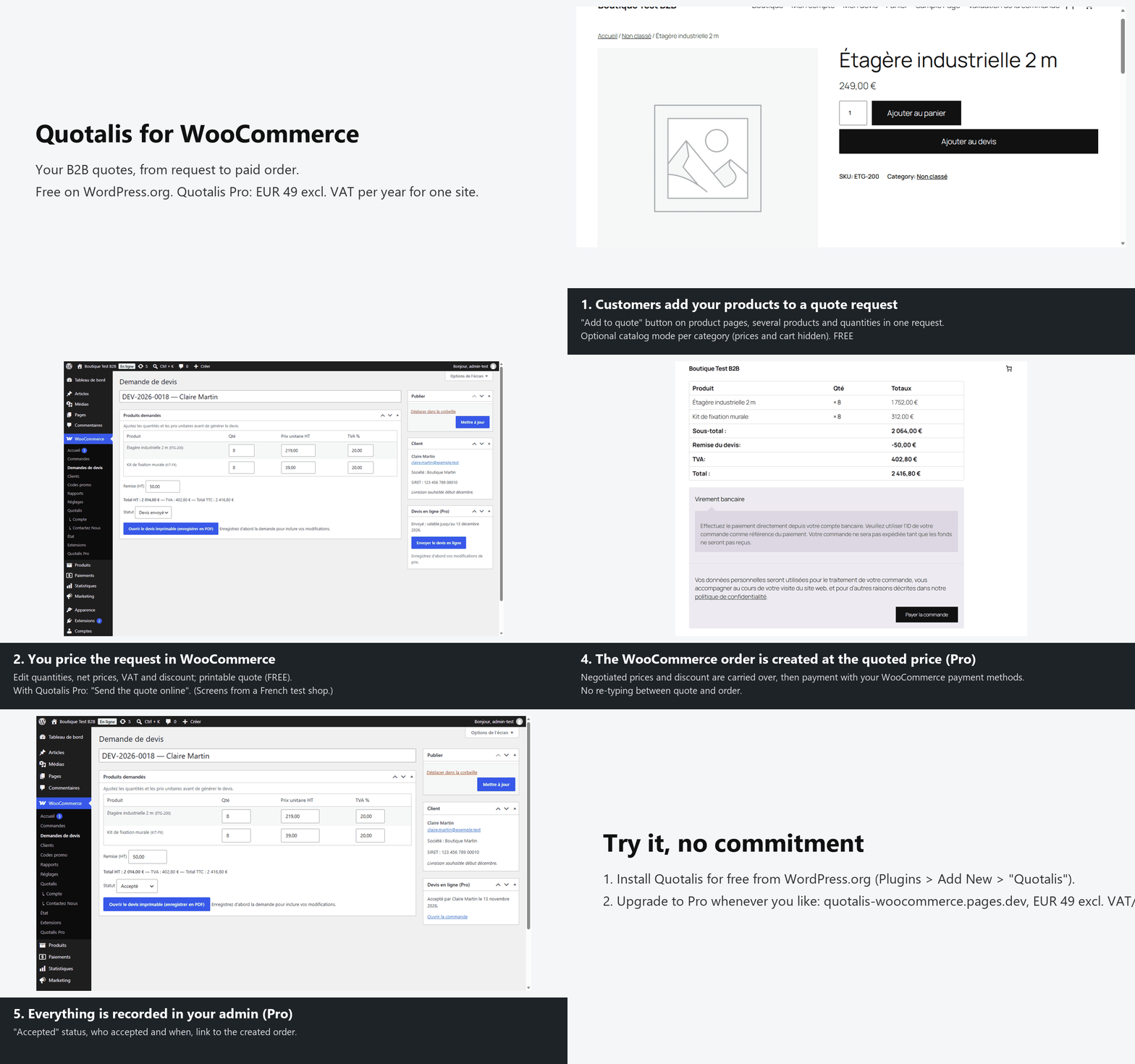
Step by step
1. Customers build their quote request (Free)
An "Add to quote" button on product pages: several products and quantities in one request. Catalog mode can hide prices and the cart, category by category.
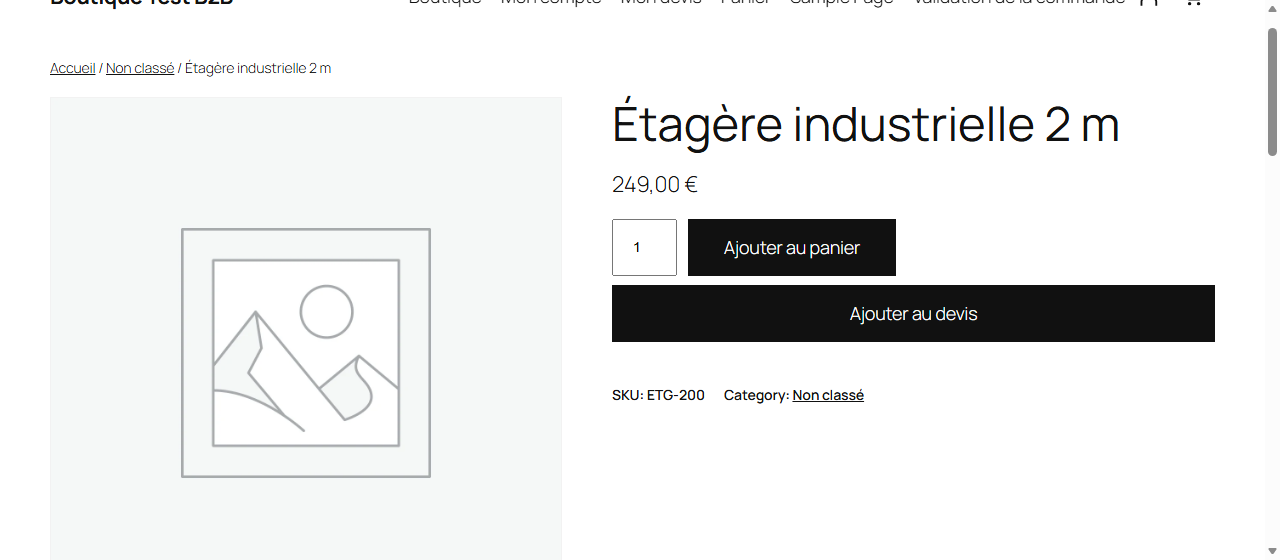
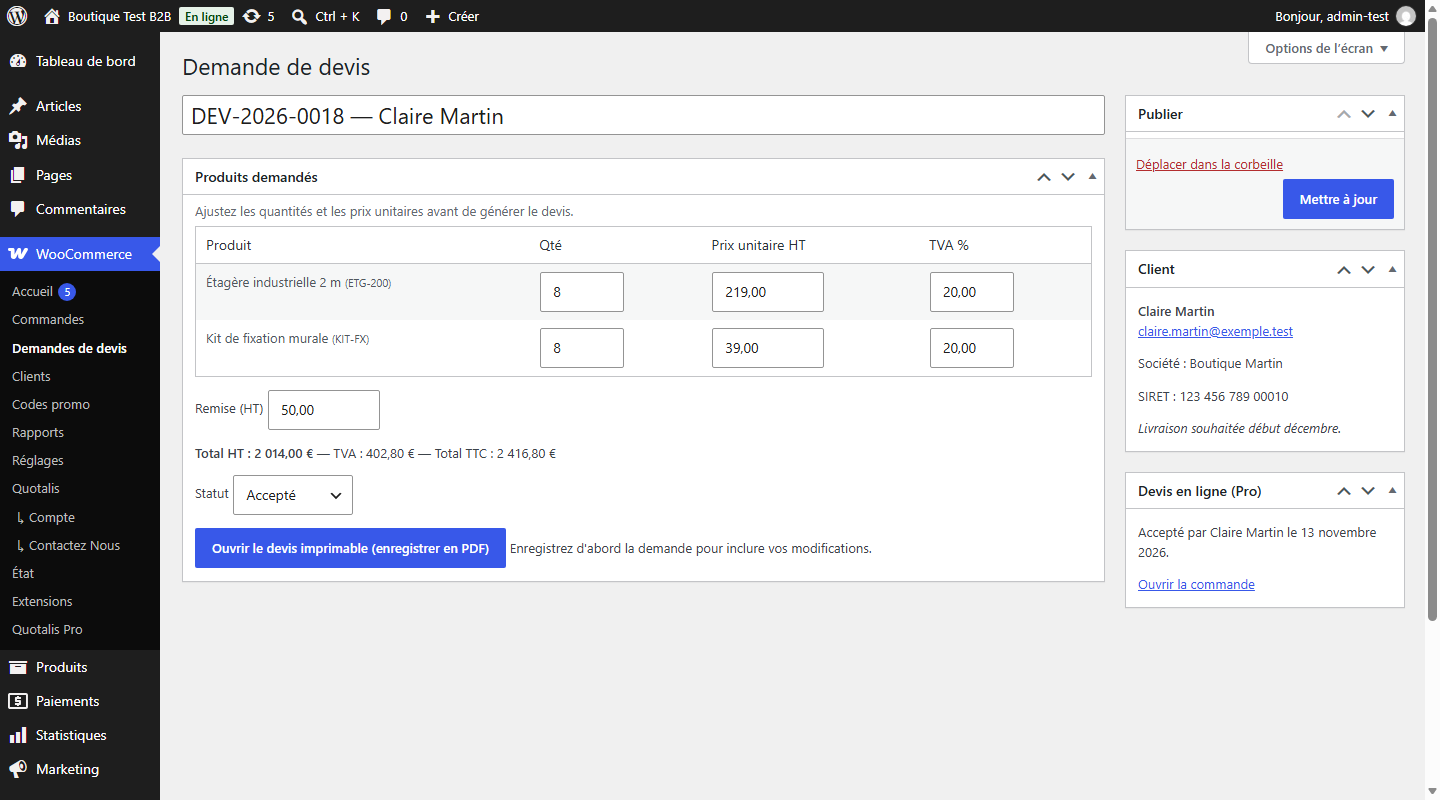
2. You price the request in WooCommerce (Free, online sending with Pro)
Edit quantities, net prices, VAT and discount; the printable quote includes French legal mentions. With Quotalis Pro, "Send the quote online" emails a secure link to your customer.
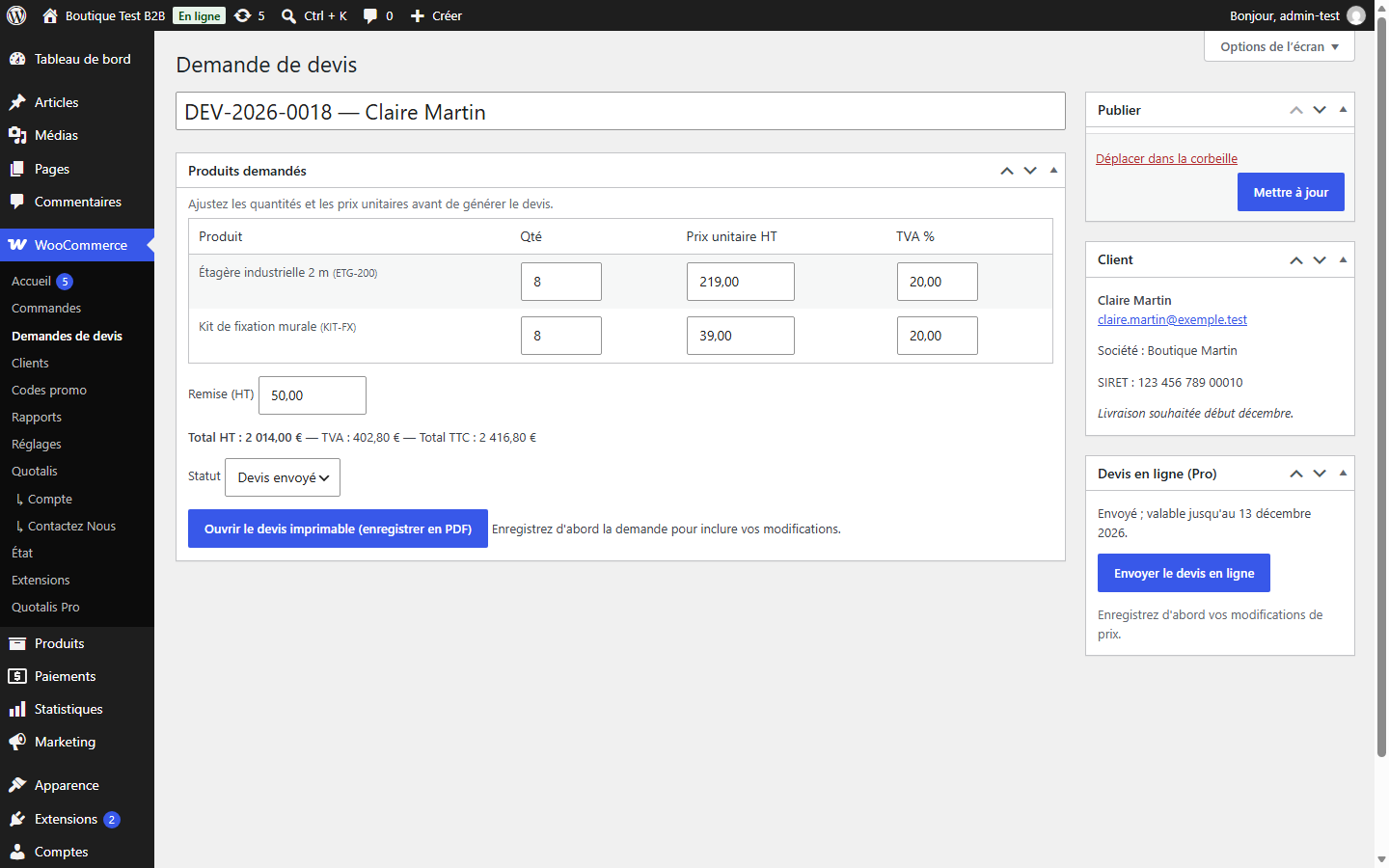
3. Your customer accepts the quote online (Pro)
No account needed: they enter their name, tick the approval box and click "Accept and order", or decline. The quote expires on its date; a reminder is sent beforehand, with a delay you set.
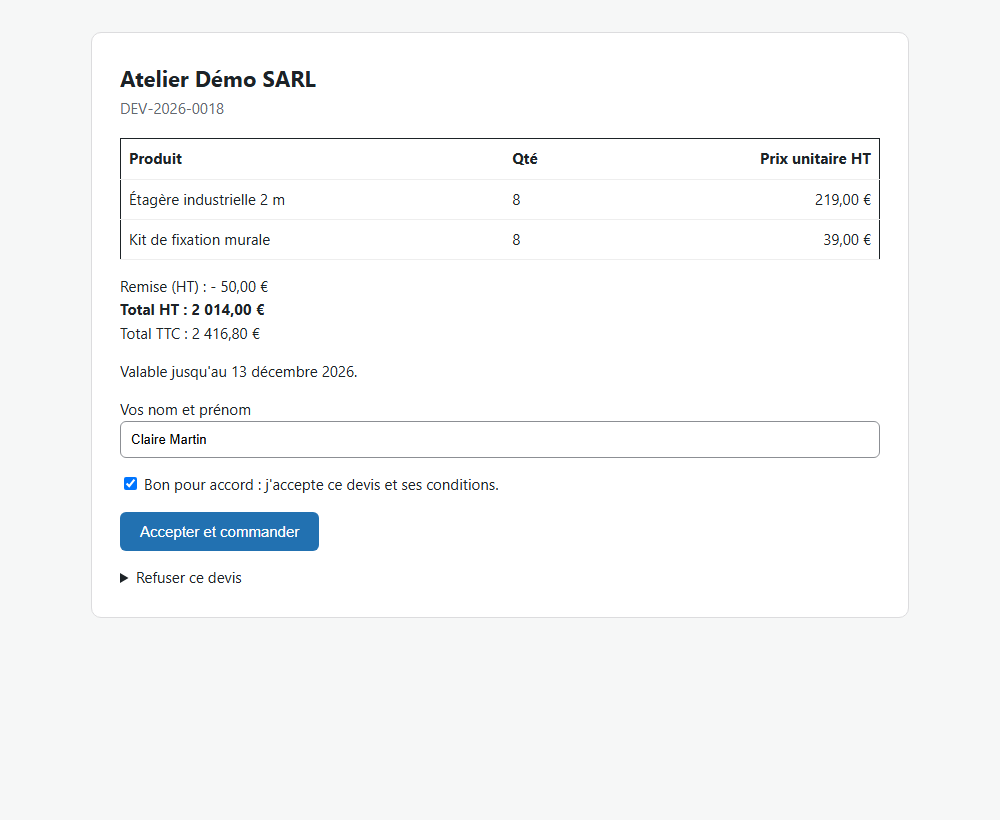
4. The order is created at the quoted price (Pro)
Quantities, negotiated prices and discount go into a WooCommerce order; the customer pays with the payment methods already enabled in your shop. No re-typing.
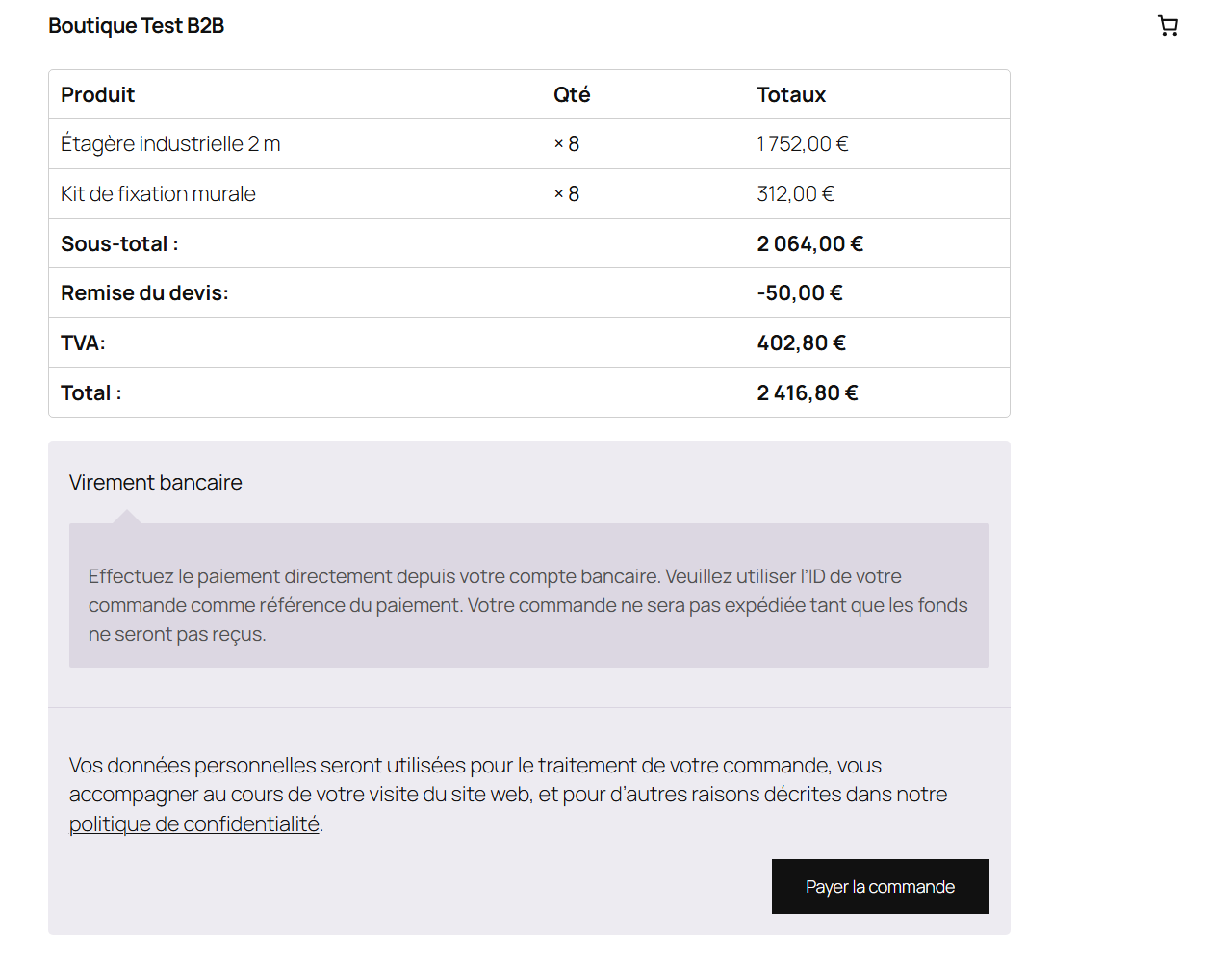
5. Everything is recorded in your admin (Pro)
"Accepted" status, who accepted and when, link to the created order.
What next?
- Try it for free on your site, ideally on a staging copy and a single category: WordPress > Plugins > Add New > "Quotalis".
- Upgrade to Quotalis Pro whenever you like: €49 excl. VAT per year for one site, cancel anytime.
- Questions? Read the FAQ or write to antoine.manceau1@outlook.fr. Support is by email only.
Screenshots taken on a WordPress and WooCommerce test shop with the default theme; appearance depends on your theme.